
Introduction
In modern apartment living, intercom systems are essential tools that ensure security, convenience, and smooth communication. Whether you live in a high-rise building or a smaller complex, knowing how to use an apartment intercom system effectively can save time and enhance safety. From setting up the system to understanding daily operations, this guide provides step-by-step instructions and practical tips for residents.
Intercom systems are designed to connect residents with visitors, building management, or emergency services. They offer features like video calling, audio communication, remote door unlocking, and even integration with smartphones. By mastering your apartment intercom system, you can maintain control over access to your home and improve communication without stepping outside.
Understanding Your Apartment Intercom System
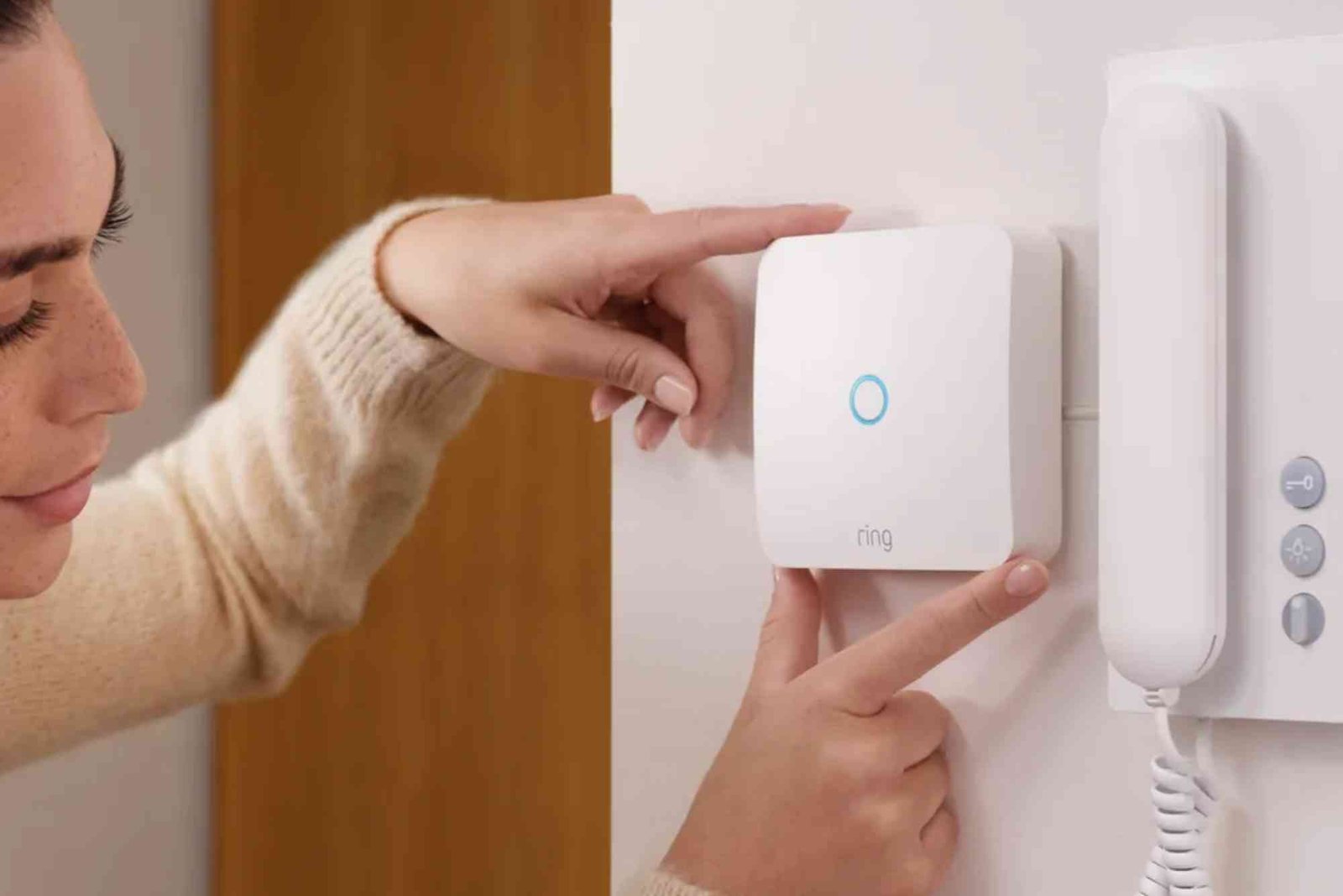
Before diving into installation and daily use, it’s important to understand what your intercom system includes. Most modern intercom systems consist of a control panel, a handset or touch screen inside the apartment, and an outdoor panel at the building entrance. Some systems feature cameras and motion detection, while others focus solely on audio communication. Identifying the type of intercom you have will help you use it effectively.
Intercom systems are generally divided into audio-only and video intercoms. Audio-only systems allow voice communication, often with a button to remotely unlock the entrance. Video intercoms, on the other hand, provide a visual of the visitor, increasing security and confidence in granting access. Some advanced systems even integrate with mobile apps, allowing you to see and speak to visitors while away from home.
Setting Up Your Apartment Intercom System
Proper setup ensures smooth functioning and longevity of your intercom system. Start by reviewing the manufacturer’s instructions for your specific model. Most systems require basic electrical connections, which may already be installed by the building management. If not, professional installation is recommended to avoid wiring issues and potential damage.
Once the physical installation is complete, connect your intercom to the building network. Many modern intercoms operate on a dedicated network or Wi-Fi connection. Configuring your device may include setting up user accounts, creating PIN codes, or syncing with a mobile application. Always use strong passwords or codes to prevent unauthorized access.
Testing the system is a critical step. Before regular use, try calling the outdoor panel from your apartment unit and vice versa. Ensure the audio is clear and the video feed, if applicable, displays accurately. If the system allows remote door unlocking, verify that this feature works reliably. Testing early ensures any technical issues are addressed promptly.
Daily Use of an Apartment Intercom System
Using your apartment intercom system daily is straightforward once it’s set up. Begin by familiarizing yourself with the main functions, such as receiving calls, speaking to visitors, and unlocking doors. Press the designated call button when you need to communicate with the entrance panel, and wait for the visitor to respond. For video intercoms, check the display to confirm the visitor’s identity before granting access.
Many systems include multiple channels, allowing communication with neighbors or building management. Use these channels appropriately to report maintenance issues, confirm deliveries, or coordinate with building security. Avoid using the intercom for casual or unnecessary conversations, as this may disrupt other residents.
If your system has a mobile app integration, it allows communication even when you’re not at home. You can receive alerts when someone rings your intercom, view live video, and unlock the entrance remotely. Ensure that notifications are enabled and your app is updated regularly for smooth operation.
Maintaining Your Intercom System
Regular maintenance keeps your apartment intercom system functional and secure. Clean the outdoor panel and indoor units periodically to prevent dust accumulation. Use a soft, dry cloth for screens and avoid harsh chemicals that may damage electronic components.
Check the system’s software and firmware updates frequently. Manufacturers often release updates to improve security, fix bugs, and add new features. Updating your system ensures better performance and reduces vulnerabilities.
Test the system monthly to verify that audio and video functions are working correctly. If you notice any distortion, lag, or malfunction, report it immediately to building management or a professional technician. Proper maintenance not only prolongs the system’s life but also ensures the safety and convenience of residents.
Common Challenges and Troubleshooting
Even with proper setup, apartment intercom systems may experience occasional issues. Audio quality problems, delayed video feed, or unresponsive buttons are among the most common challenges. First, check the power supply and network connection. Loose wires or weak Wi-Fi signals can often be the root cause.
If issues persist, consult the manufacturer’s troubleshooting guide. Many problems can be resolved by resetting the system or updating the software. For hardware malfunctions, such as a broken camera or speaker, contact professional technicians. Avoid attempting complex repairs yourself, as this may void warranties or cause further damage.
Communication clarity is vital for safety. If background noise interferes with conversations, adjust the volume settings or relocate units if possible. For multi-unit buildings, ensure that intercom units do not overlap in signal, which can create interference.
Safety and Security Tips
Apartment intercom systems enhance security, but residents must use them wisely. Always verify a visitor’s identity before granting access. Avoid opening doors for unknown individuals or strangers, even if they claim to be delivery personnel.
Keep personal access codes confidential and change them periodically. If your system has mobile access, secure your smartphone with a password or biometric authentication. Educate family members or roommates on proper intercom use, emphasizing that security depends on everyone following best practices.
Be cautious when using remote access features. While convenient, unlocking doors from outside the apartment should be done carefully to avoid potential security risks. Combine intercom security with other building safety measures, such as cameras, locks, and security patrols, for comprehensive protection.
Benefits of Mastering Your Apartment Intercom System
Understanding how to use your intercom system offers several advantages. It increases convenience by allowing you to communicate with visitors without physically going to the door. It enhances safety by letting you visually and audibly verify who is at the entrance. It also streamlines communication with building staff for maintenance, deliveries, and emergencies.
Proper usage minimizes disruptions and ensures that all residents enjoy the full benefits of the system. For those with advanced features, such as mobile app integration, mastering your intercom system adds flexibility to your daily routine, even when you’re away from home.
Apartment intercom systems are essential tools for modern living, offering convenience, security, and effective communication. By understanding the system, setting it up correctly, and using it properly daily, residents can enjoy safer and more organized apartment life. Regular maintenance and cautious usage further enhance security and functionality, ensuring long-term reliability. Embracing the full potential of your apartment intercom system transforms the way you manage access and communicate within your building. Start using your intercom system efficiently today to enhance both security and convenience.
To smoothly move your DEWA services when changing residences in Dubai, it’s important to understand the transfer process and requirements. For a detailed step‑by‑step guide on how to transfer your DEWA account from one apartment to another, including the necessary documents, fees, and timelines, check out this helpful resource: how to transfer DEWA from one apartment to another in Dubai. Following these guidelines can make your transition hassle‑free and ensure your utilities remain uninterrupted.
Looking for the best properties in the UAE? Finders.ae offers a wide range of apartments, villas, and commercial spaces tailored to your needs. Explore listings, compare prices, and connect with trusted agents effortlessly. Start your property journey today by visiting Finders.ae for the latest deals and updates!
FAQs
What is an apartment intercom system used for?
An apartment intercom system allows residents to communicate with visitors, building management, or neighbors. Some systems also enable remote door unlocking and security monitoring.
How do I set up my intercom system?
Follow the manufacturer’s instructions for wiring, network configuration, and user account setup. Test audio and video functions before daily use.
Can I use my intercom system on a mobile device?
Yes, many modern systems offer mobile app integration, allowing you to receive calls, view video, and unlock doors remotely.
What should I do if my intercom isn’t working?
Check the power supply and network connection first. If the issue persists, consult the troubleshooting guide or contact professional support.
Is it safe to use remote unlocking features?
Yes, but only grant access to verified visitors. Ensure your mobile device is secure with strong passwords or biometric authentication.
How often should I maintain my intercom system?
Clean units regularly, check for software updates, and test functions monthly to maintain performance and safety.
Do intercom systems increase apartment security?
Yes, they provide controlled access, communication verification, and monitoring, making buildings safer and more convenient for residents.